Undirect stops a page taking your click.
Switch Undirect on for a site from the toolbar button. It stops invisible click layers, pop-unders and rewritten links, and lists every address a page tried to open.

One app for iPhone, iPad and Mac.
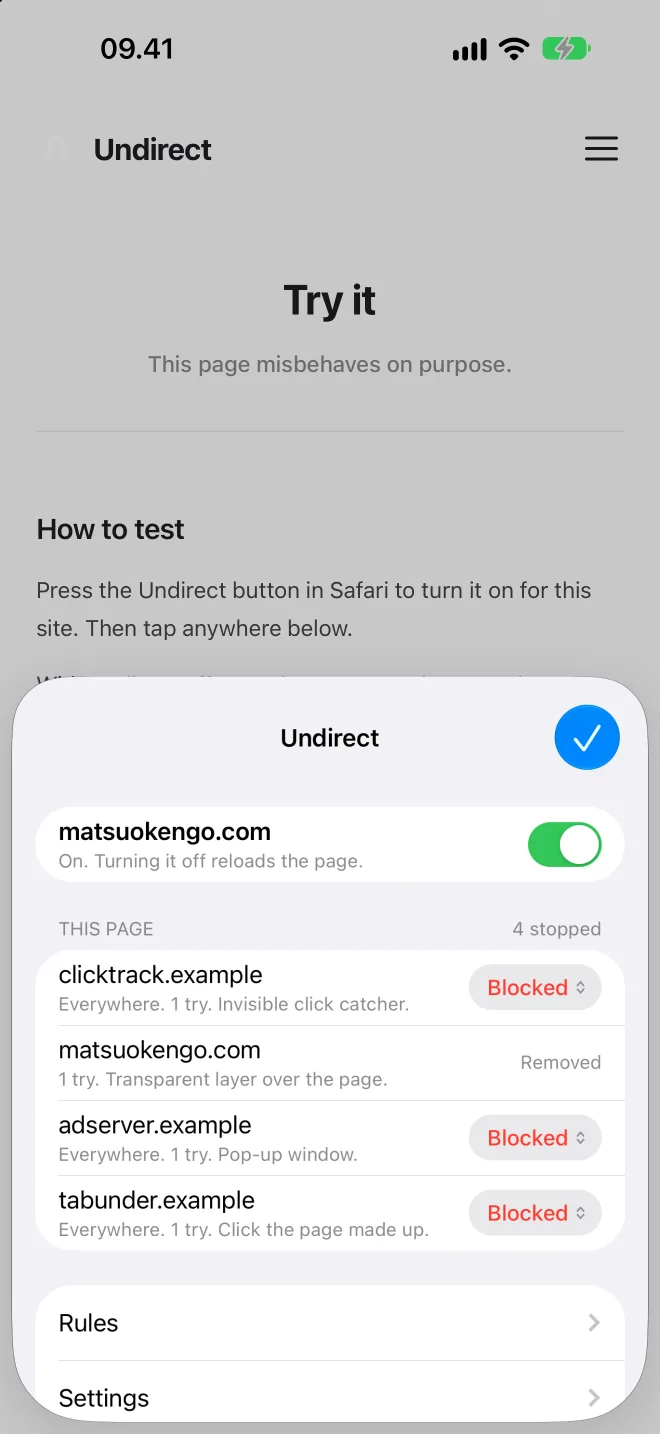
Pop networks do not wait to be clicked. They lay a transparent layer over the page and take the next press. They build a link and click it themselves. They rewrite the link under your finger between the press and the release. They open a blank tab and rewrite the address of the one you were reading.
Undirect watches for those shapes and undoes them. The invisible layer goes before your press lands, so the click reaches what you aimed at. A link rewritten mid-click is put back, and you arrive where you meant to. A new window opens only when a site asks for one at a size, the way a sign-in does.
Watch Undirect stop a page taking a tap
Invisible layers
A page can cover itself to catch a press meant for something else.
Swapped links
Some pages rewrite a link between the press and the release.
Uninvited windows
A new tab opens only where your press pointed.
Every destination
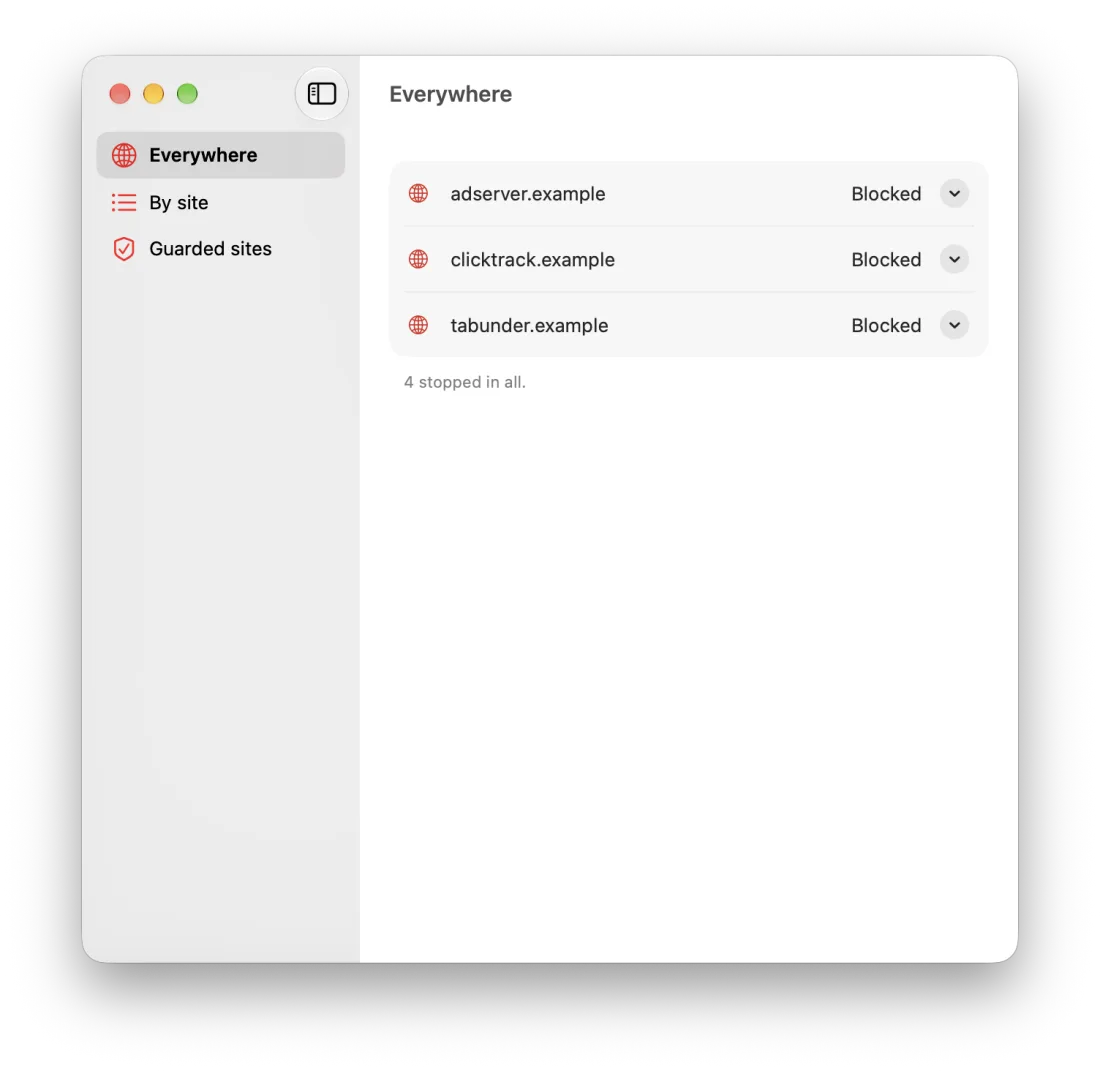
Everywhere a page tried to send you is listed, whether or not it was stopped. Each destination can be allowed or blocked, on that site alone or everywhere. A destination with no rule follows a default you set.
What is blocked everywhere becomes a content blocking rule, so the request never leaves your device.
Try it on made-up sites
Five fictional sites misbehave on purpose, and one behaves. Open them in Safari with Undirect switched on and watch what it stops.
Open the demo sitesPrivate by build
No account, no analytics, no server. The list of destinations lives in your browser, and the app reads it through a container on the same machine. Nothing leaves the device unless you press Report, which opens a prefilled issue you send yourself.
Read the privacy policyRequirements
Undirect is a Safari extension. Switch it on in Safari, then press its toolbar button on each site you want guarded.